
Text to speech for macOS
Read with
your ears.
Select text on your Mac and listen in English or German. All it takes is a keyboard shortcut. The local voices are already built in.
Apple silicon · macOS 14 or later


Inside the app
Your text, your pace.
Paste a passage
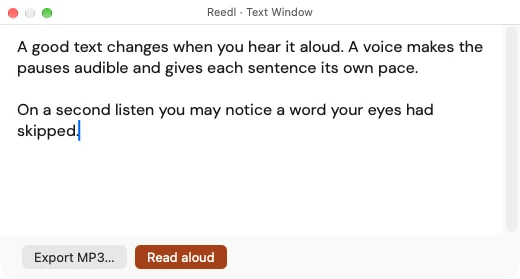
Keep a draft in the floating text window. Or select text in another app and press ⌃⌥R.
Actual Mac app window ↗Choose a voice
Four local voices speak English and German. Set speech speed anywhere from 50 to 200 percent.
Actual Mac app window ↗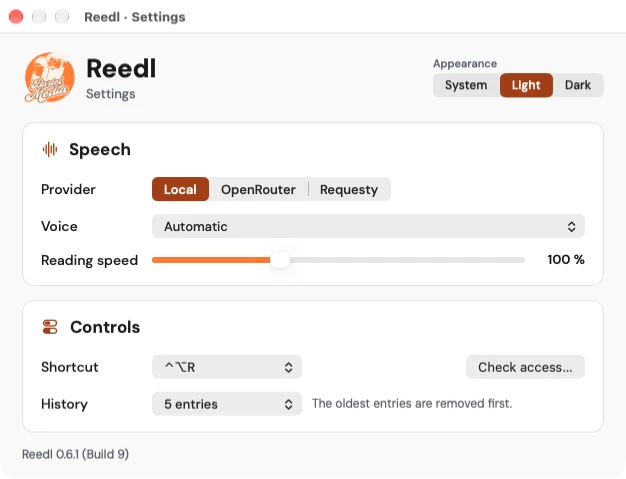
Find a moment
Search previous passages, jump along the waveform and export a selected recording as an MP3.
Actual Mac app window ↗
Reedl in 27 seconds.
From a selected sentence to an audio file of your own. With English narration and optional subtitles.
Read the transcript
Read that sentence again. This time, with your ears. Select a passage on your Mac. With one shortcut, Reedl reads it aloud, in English or German. Local voices come built in. Set the pace, even while you listen. Find the passage in your history. Jump to a moment or take it with you as an MP3. Reedl. Text you can hear. By Bartel Media.
Frequently asked questions
Contact Bartel Media ↗What is Reedl?
Reedl is a menu bar app for Macs with Apple silicon and macOS 14 or later. It reads selected or pasted text aloud in English and German.
Can I use Reedl offline?
Yes. Four Pocket TTS voices ship with the app: Alba, Anna, Jürgen and Michael. Local playback works without an API key or an internet connection.
How do I read selected text aloud?
Select text and press Control + Option + R. Press again to stop playback. Allow Reedl in Privacy & Security → Accessibility to use this shortcut. Supported apps also offer the “Mit Reedl vorlesen” service.
Which cloud providers can I use?
You can optionally connect OpenRouter or Requesty with your own API key. Models and voices depend on the provider. In cloud mode the selected provider receives the text for synthesis and may charge for usage.
Where are my texts and recordings stored?
Your draft and history are stored on your Mac. Reedl saves the last five completed recordings by default. Choose from one to twenty entries or turn history off. Reducing the limit removes the oldest text and audio pairs.
Can I take a recording with me?
Yes. Export the last completed reading or a recording from your history as an MP3. The file keeps the voice and speed you used.